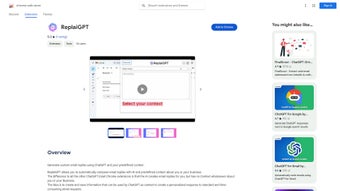

Download ReplaiGPT – AI‑Powered Email Reply Generator for Gmail
Overview
ReplaiGPT is a lightweight Chrome extension that brings the power of ChatGPT directly into your Gmail workflow. Designed for professionals, freelancers, and anyone who spends a significant amount of time answering repetitive emails, ReplaiGPT lets you create personalized, context‑aware replies with a single click. By leveraging OpenAI’s language model, the tool can understand the nuance of your predefined “context”—a short description of your typical response style, preferred tone, or any specific information you want to include—and generate a reply that feels genuinely written by you.
The extension’s user‑friendly popup interface makes it easy to set up multiple contexts for different scenarios, such as customer support, sales outreach, or internal team updates. Because all data—including the email content you feed into the model and the saved contexts—are stored locally in your browser, privacy‑conscious users can rest assured that nothing is transmitted to external servers unless they choose to provide their own OpenAI API key. The free tier offers all core functionalities without hidden fees, making ReplaiGPT an attractive option for anyone looking to streamline email communication while maintaining a high level of personalization.
Key Features
- AI‑Generated Replies: Utilizes ChatGPT to craft coherent, context‑specific responses in seconds.
- Custom Context Builder: Save multiple reply templates and tone settings for instant reuse.
- Seamless Gmail Integration: Works directly inside the Gmail compose window without leaving your inbox.
- Multi‑Language Support: Generates replies in dozens of languages, perfect for global teams.
- Local Data Storage: All contexts and email snippets are kept on your browser, enhancing privacy.
- OpenAI API Flexibility: Optionally add your own API key for higher request limits or custom models.
- Free Core Functionality: No subscription required for basic usage; premium features are optional.
- Quick Setup Wizard: Guided popup helps you create your first context in under two minutes.
- Responsive UI: Minimalist design that adapts to Chrome’s dark and light themes.
- Auto‑Update Mechanism: Receives regular improvements and security patches automatically.
Installation, Usage & Compatibility
Step‑by‑Step Installation
Getting ReplaiGPT up and running is straightforward. First, open the Chrome Web Store and search for “ReplaiGPT.” Click “Add to Chrome,” confirm the permissions, and the extension icon will appear next to your address bar. After installation, click the icon to launch the popup window. The initial setup wizard will prompt you to create your first context: give it a name (e.g., “Support Reply”), type a short description of the tone and key points you want included, and optionally paste a sample reply. Save the context, and you’re ready to start generating emails.
How to Use the Extension
When you receive an email that matches a saved context, simply click the ReplaiGPT icon inside the Gmail compose area. Choose the appropriate context from the dropdown, and the AI will instantly populate the reply box with a draft. Review the content, make any minor edits, and hit send. For power users, you can switch between multiple contexts without leaving the compose window, allowing you to handle a variety of inquiries—such as price quotes, technical support, or meeting confirmations—with a single tool. The extension also offers a “Regenerate” button if the first draft doesn’t meet your expectations, letting the model produce an alternative version in real time.
Supported Platforms
ReplaiGPT is built exclusively for the Google Chrome browser, which means it works on any operating system that can run Chrome, including Windows 10/11, macOS Monterey and later, Linux distributions, and Chrome OS. Because the extension relies on browser‑based storage, there is no need for separate desktop or mobile apps. However, you can also access Gmail on Android or iOS devices via the Chrome mobile browser; the extension’s functionality is limited to desktop Chrome, so mobile users will need to rely on the native Gmail AI suggestions or the web version of ReplaiGPT if they install Chrome on their tablet.
Pros & Cons
What Users Love
- Fast, AI‑driven reply generation that saves hours each week.
- Complete control over privacy thanks to local storage.
- Easy context management for different business scenarios.
- Free core features make it accessible to small teams and freelancers.
- Multi‑language capability expands its usefulness across borders.
Areas for Improvement
- Only available on desktop Chrome; no native mobile extension.
- Advanced customization (e.g., custom prompts) requires a personal OpenAI API key.
- Occasional mismatches in tone for highly nuanced requests.
- Limited offline functionality—requires internet connection to call the AI model.
- Premium tier pricing not disclosed openly; users must contact sales for details.
Frequently Asked Questions
Is ReplaiGPT really free?
Yes, the basic version of ReplaiGPT is completely free. It includes all essential features such as context creation, AI‑generated replies, and local data storage. Premium add‑ons like higher API limits or custom model support are optional and come with a paid plan.
How does ReplaiGPT protect my email privacy?
All email content and saved contexts are stored locally in your browser’s storage. The extension does not send any data to external servers unless you provide your own OpenAI API key, in which case the data is transmitted only to OpenAI’s endpoints for processing.
Can I use my own OpenAI API key?
Absolutely. In the settings panel you can paste a personal OpenAI API key. This gives you control over usage limits, model versions, and can improve response speed for heavy users.
Does ReplaiGPT work with other email providers?
Currently the extension is optimized for Gmail and integrates directly with its web interface. While the underlying AI engine could theoretically be used with other web‑mail services, full functionality (like the context dropdown) is only guaranteed inside Gmail.
What languages does ReplaiGPT support?
ReplaiGPT inherits the multilingual capabilities of ChatGPT, which includes over 30 languages ranging from English, Spanish, and Mandarin to less common languages like Swahili and Icelandic. The quality of translations improves with the language’s prevalence in the training data.
Conclusion & Call to Action
ReplaiGPT stands out as a practical, privacy‑first AI assistant that tackles one of the most time‑consuming aspects of digital communication: writing email replies. Its seamless integration with Gmail, robust context management, and free core offering make it an excellent choice for both solo professionals and larger teams seeking to boost productivity without sacrificing personalization. While the lack of a native mobile extension and the need for an external API key for power users are minor drawbacks, the overall value proposition is compelling. If you’re ready to reduce inbox fatigue and reply faster, simply click the “Add to Chrome” button in the Chrome Web Store, set up your first context, and let ReplaiGPT handle the rest. Experience the future of email automation today—download ReplaiGPT now and start replying smarter, not harder.



.png)



